Legacy Documentation
Desktop And Mini DBA Server
Legacy Documentation Home
alerts
analysisservicesalerts
analysisservicescpu
analysisservicesdashboard
analysisservicesdatabases
analysisservicesio
analysisservicessessions
azurealerts
azuredatabase
azuredatabasehealthcheck
azureindexes
azurelocks
azure security
azuresessions
azuresql
azuresqldatabase
azuresqldatabasedashboard
azuresqldatabases
azure sql server dashboard
azuretables
azurewaits
compare performance baseline
connections
cpu
custom sql server alerts
database
database query performance
databases
defaulttrace
dm exec query statistics xml
documentation
errorlog
files
gettingstarted
healthcheck database
healthcheck sql server
history active
history blocking
history data storage
history deadlocks
history files
history memory
history viewer
history waits
howtoperformancetuneazuresqldatabase
how to performance tune sql server
how to sql server performance tuning
how to sql server query tuning
indexes
Installation
io
License Support
locks
maintenance windows
options
performance history
security
server
servergettingstarted
Server Installation
server memory
serveroptions
serversecurity
servertroubleshooting
sql database memory
sql execution plan
sql extended event sessions
sql server activity
sql server alert configuration
sql server alerts
sql server database
sql server execution plan view
sql server index defrag jobs
sqlserverindexfragmentation
sql server index fragmentation
sql server index maintenance
sql server live query statistics
sqlserverqueryperformance
sql server query performance
sql server send slack alerts
sql server send teams alerts
sql server transaction log
sql server wait statistics
tables
tranlog
waits
webmonitorconfigure
webmonitorconnections
webmonitorcurrent
webmonitorcustom
webmonitorenterprise
webmonitorgettingstarted
webmonitorhistoric
webmonitorinstallation
webmonitorio
webmonitormemory
webmonitoroptions
webmonitoroverview
webmonitorsecurity
webmonitorwaits
wmi
Initially Mini DBA displays total index usage data as seen below. It tells you how many times types of operation have been performed on the index and the last time at which these operations occured. This view gives you the ability to see what the most used and unused indexes are which leads to be able to identify important indexes.
The query used for this view is lightweight and refreshing using the refresh button will put negligable load on the server.
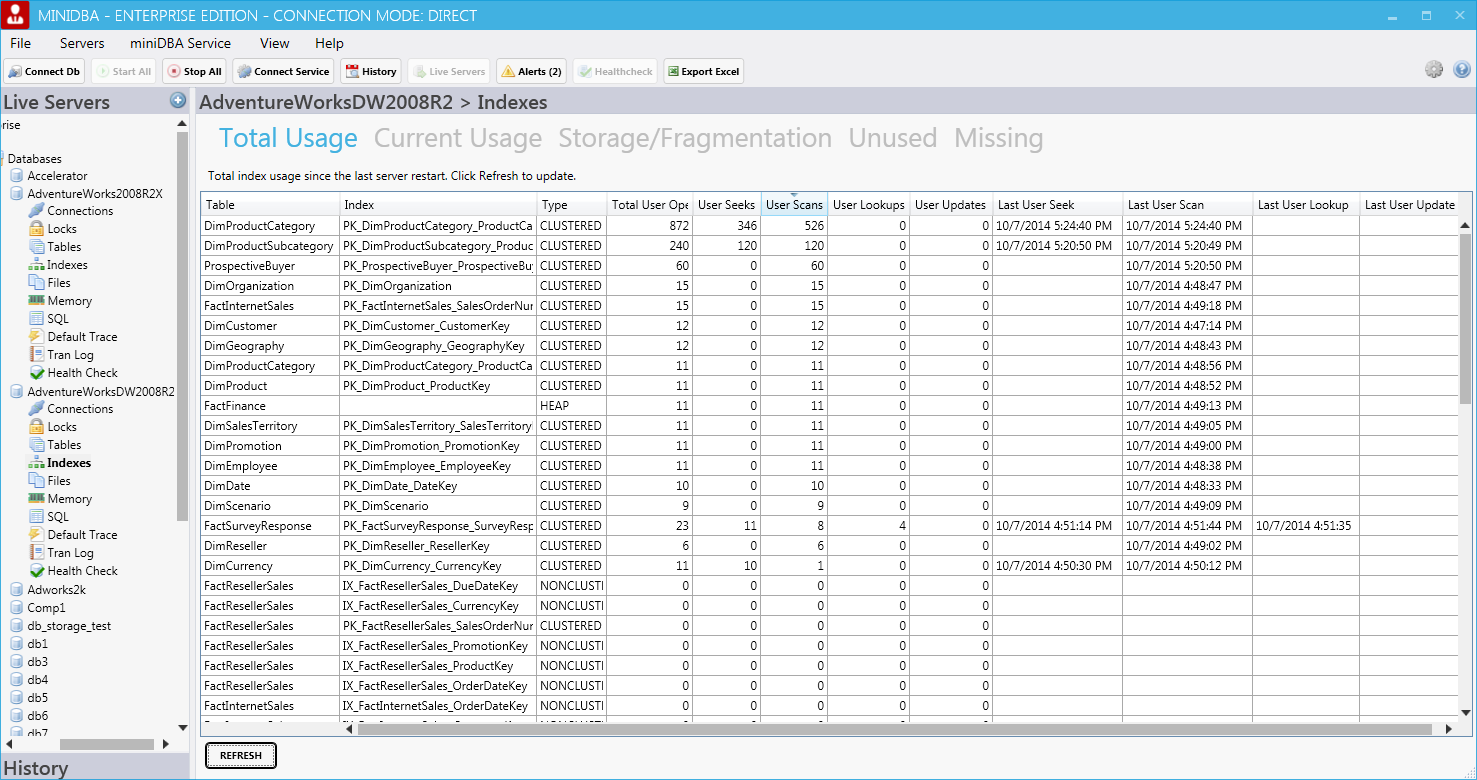
Aside from the table and index name the following columns are included:
These columns give a clear picture of how each index is used and if there are any indexes that have not been used for a long period of time. Dropping/replacing rarely used index with better alternatives is a key piece of index tuning.
Indexes with extremely high numbers of operation may be performance bottlenecks and may benefit from investigation to see if the query that uses them would be more effecient with a new index designed specifically for that query.
Often unexpected index usage can be seen in this view, indexes that were presumed to be supporting queries are unused and this leads to significant performance gains when rectified.
The query used for this view is lightweight and refreshing using the refresh button will put negligable load on the server.
Aside from the table and index name the following columns are included:
- Type (Index Type - clustered/nonclustered/heap)
- Total User Operations (total of all operations performed on the index)
- User Seeks (total seek operations performed on the index)
- User Scans (total scan operations performed on the index)
- User Lookups (total lookup operations performed on the index)
- User Updates (total update operations performed on the index)
- Last User Seek (time of last seek)
- Last User Scan (time of last scan)
- Last User Lookup (time of last lookup)
- Last User Update (time of last update)
These columns give a clear picture of how each index is used and if there are any indexes that have not been used for a long period of time. Dropping/replacing rarely used index with better alternatives is a key piece of index tuning.
Indexes with extremely high numbers of operation may be performance bottlenecks and may benefit from investigation to see if the query that uses them would be more effecient with a new index designed specifically for that query.
Live Index Usage
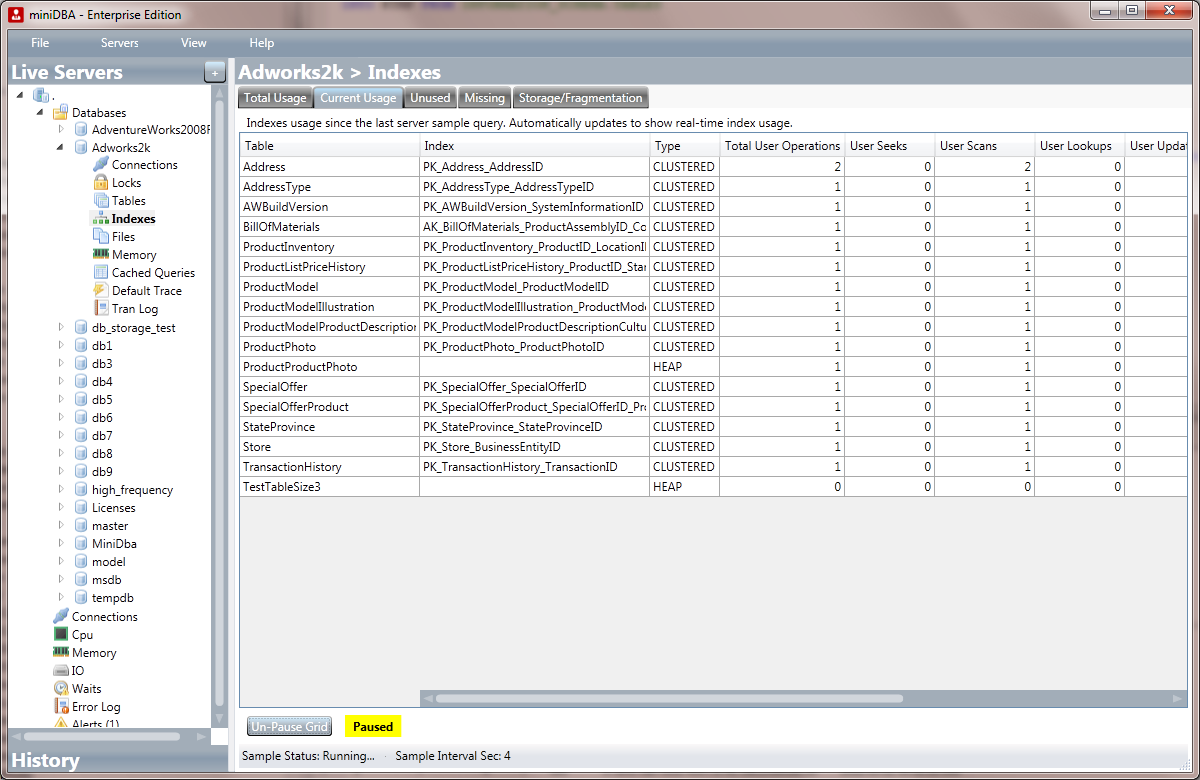
The Current Usage tab is a live updating grid that displays real-time index usage. This is highly useful when diagnosing what indexes slow operations are actually using. The grid can be paused to keep results on the screen for analysis.Often unexpected index usage can be seen in this view, indexes that were presumed to be supporting queries are unused and this leads to significant performance gains when rectified.
Unused & Missing Indexes
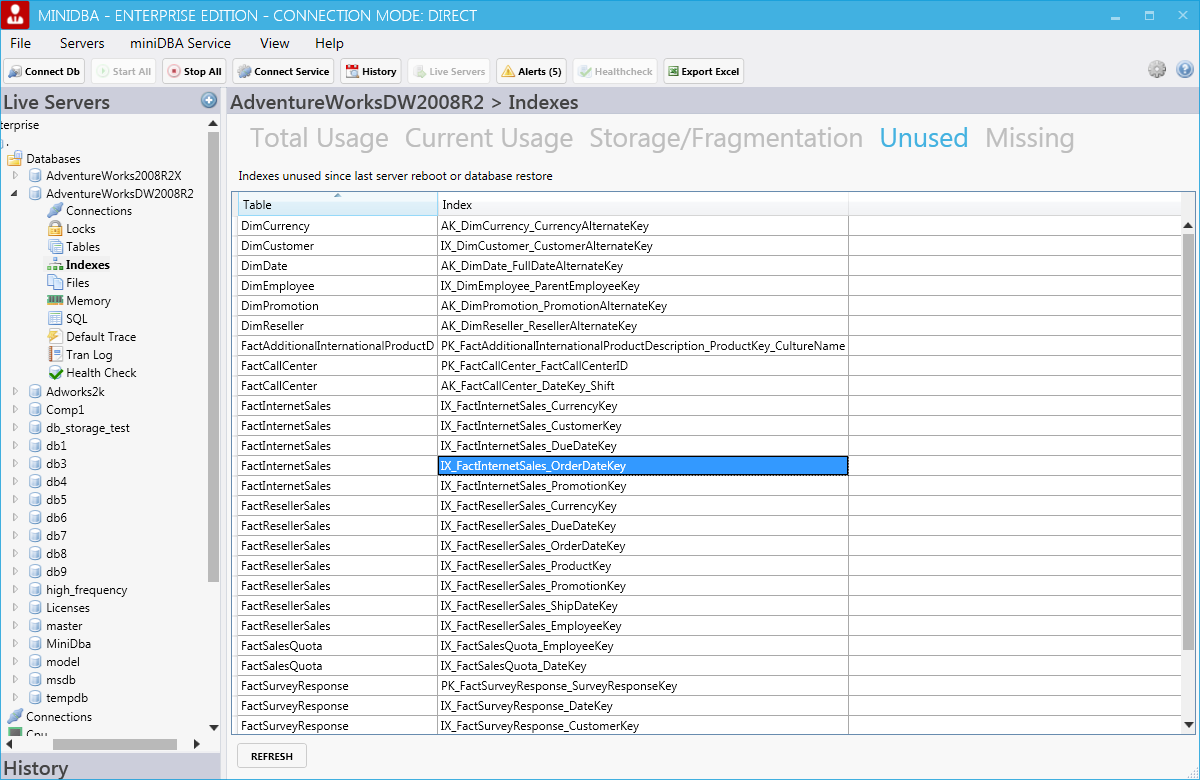
Unused (indexes that have not been used since server restart or the database was restored) and missing index (indexes that may be helpful) information can be seen under the other 2 tabs.