Mini DBA is a database monitoring and management platform for SQL Server, Azure SQL, PostgreSQL, MySQL, MariaDB, and Oracle. The Mini DBA Console gives DBAs, managed service providers, and technical teams one place to review server health, alerts, performance data, licensing, and engine configuration.
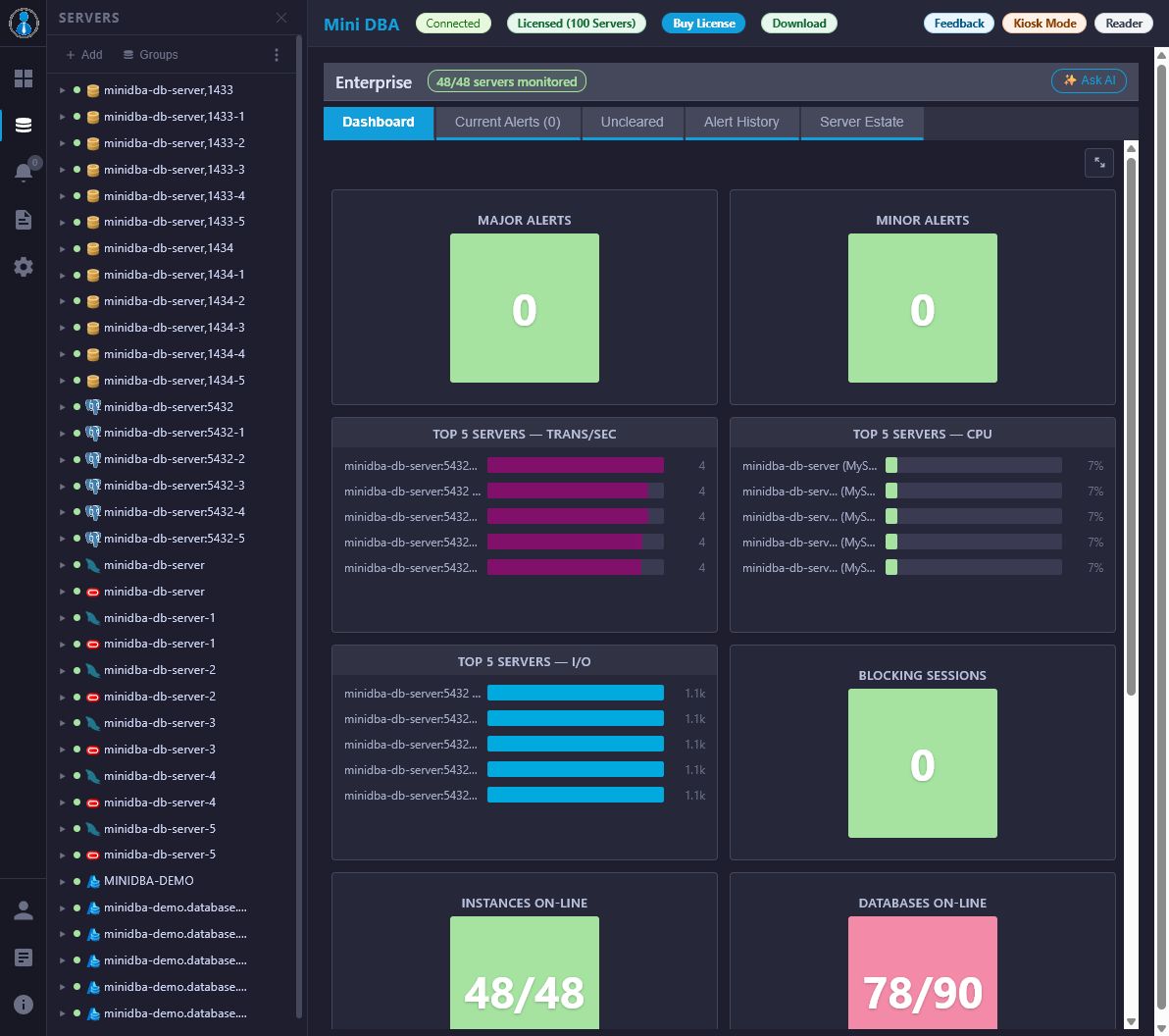
Use this manual to install Mini DBA, connect one or more Mini DBA Engine instances, license an engine, add monitored database servers, and use each console page for day-to-day database support.
Start Here
- Install Mini DBA
- Get started with the Mini DBA Console
- Understand Mini DBA licensing
- Connect database servers for monitoring
- SQL Server connection and permissions
- Enable WMI for SQL Server monitoring
- Azure SQL connection and permissions
- PostgreSQL connection and permissions
- MySQL and MariaDB connection and permissions
- Oracle connection and permissions
- Host OS login for extra metrics
- Use Mini DBA MSP mode
- Configure multiple engine connections
Main Console Areas
- Console overview and navigation
- Enterprise View
- Servers page
- Server groups
- Alerts page
- Copy, export, and import alert configuration
- Connectivity log
- Troubleshoot database connectivity
- Reports page
- AI Assistant
- Execution plan analysis
- Settings page
- Service log
- Web log
- About page
Database Monitoring Guides
- SQL Server monitoring
- Azure SQL monitoring
- PostgreSQL monitoring
- MySQL and MariaDB monitoring
- Oracle monitoring
Settings And Integrations
- Security settings
- SQL options
- Email server settings
- Alert recipients
- Recipient groups
- Server groups
- Server group settings
- Cloud provider settings
- Web proxy settings
- Slack integration
- Microsoft Teams integration
- PagerDuty integration
- Jira integration
- Performance logging
- AI Assistant
- AI provider settings
- MCP server settings
Typical Workflows
- Install and start at least one Mini DBA Engine.
- Open the Mini DBA Console and connect to the engine from Settings.
- Activate or verify the engine license using licensing.
- Create a least-privilege monitoring login using the platform-specific connection guide.
- Add database servers from the Servers page.
- Organize servers with Server Groups where groups help navigation, reporting, MSP work, or access control.
- Add optional host OS login where CPU, memory, drive, and disk I/O metrics are required.
- Review health and activity in the engine-specific monitoring pages.
- Use Connectivity Log and Troubleshoot Database Connectivity when a server connects but does not collect data.
- Configure alerts, email, and notification channels.
- Reuse alert policies with Copy, Export, And Import Alert Configuration when several servers or engine instances should share the same thresholds and routing.
- Use Execution Plan Analysis and AI Assistant for guided performance tuning, alert triage, plan review, and BYO AI workflows.
Who This Manual Is For
This Mini DBA manual is written for database administrators, platform engineers, managed service providers, and application support teams who need practical database monitoring documentation. The pages are organized around real console workflows rather than internal product architecture. If you need to install Mini DBA, connect SQL Server, monitor Azure SQL, review PostgreSQL permissions, troubleshoot MySQL performance, or understand Oracle health checks, start with the workflow page closest to your task.
Mini DBA is useful when a team wants database monitoring without relying on one database platform only. A single console can show SQL Server, Azure SQL, PostgreSQL, MySQL, MariaDB, and Oracle data. This matters for mixed estates, MSP environments, acquisitions, development teams with more than one database engine, and support teams that need a consistent way to answer "what is slow", "what is blocked", "what changed", and "who needs to be alerted".
Search-Friendly Topics Covered
The manual includes dedicated pages for common database monitoring searches:
- SQL Server monitoring, Query Store, waits, deadlocks, Agent jobs, Always On, health checks, and performance tuning.
- Azure SQL monitoring, elastic pools, database waits, locks, Query Store, permissions, and performance tuning.
- PostgreSQL monitoring, permissions, logs, wait analysis, memory, I/O, indexes, deadlocks, and host OS metrics.
- MySQL and MariaDB monitoring, InnoDB, permissions, deadlocks, I/O, memory, and performance tuning.
- Oracle monitoring, activity, waits, queries, memory, health checks, permissions, and host metrics.
- Execution plan analysis for SQL Server, Azure SQL, PostgreSQL, MySQL, MariaDB, and Oracle.
- AI-assisted database performance tuning, BYO AI setup, alert triage, execution plan interpretation, and token/privacy guidance.
- Copying alert configuration between servers and importing or exporting alert trigger configuration between Mini DBA Engine instances.
- Connectivity log review, database connection troubleshooting, Windows WMI monitoring, and server groups for navigation, reporting, MSP operation, and access control.
Each connection guide includes a least-privilege monitoring user example where the product has permission checks for that platform. Those examples are intended to help administrators create accounts that collect monitoring data without using broad administrator accounts for day-to-day Mini DBA monitoring.
For managed service providers and distributed database teams, Mini DBA MSP Mode explains how one console can connect to multiple engines, how engine selection affects navigation, and how to view alerts across all engines or only the current selected engine.
For execution plan workflows, Mini DBA Execution Plan Analysis links to the database-specific plan viewers and explains how to drill into expensive operators. For AI-assisted workflows, Mini DBA AI Assistant explains how page context, optional metrics, sessions, alerts, execution plans, BYO AI, and free token limits work.
Manual FAQ
Is Mini DBA only for SQL Server?
No. Mini DBA includes SQL Server monitoring, but the console also has monitoring pages for Azure SQL, PostgreSQL, MySQL, MariaDB, and Oracle.
Do I need one Mini DBA Engine per database server?
No. A Mini DBA Engine can monitor multiple database servers, subject to network reachability and the engine license. Larger or segmented environments can use multiple engines connected to one console.
Where should new users start?
Start with Installation, then Getting Started, then the platform-specific connection page for the database engine you want to monitor.
Are screenshots included?
Every public page has a meaningful screenshot placeholder. Add the final PNG files under Documentation/Manual/screenshots before publishing the generated HTML.
Related Documentation
For container deployment details, see the technical Docker installation document at Documentation/installation.md in the source repository.