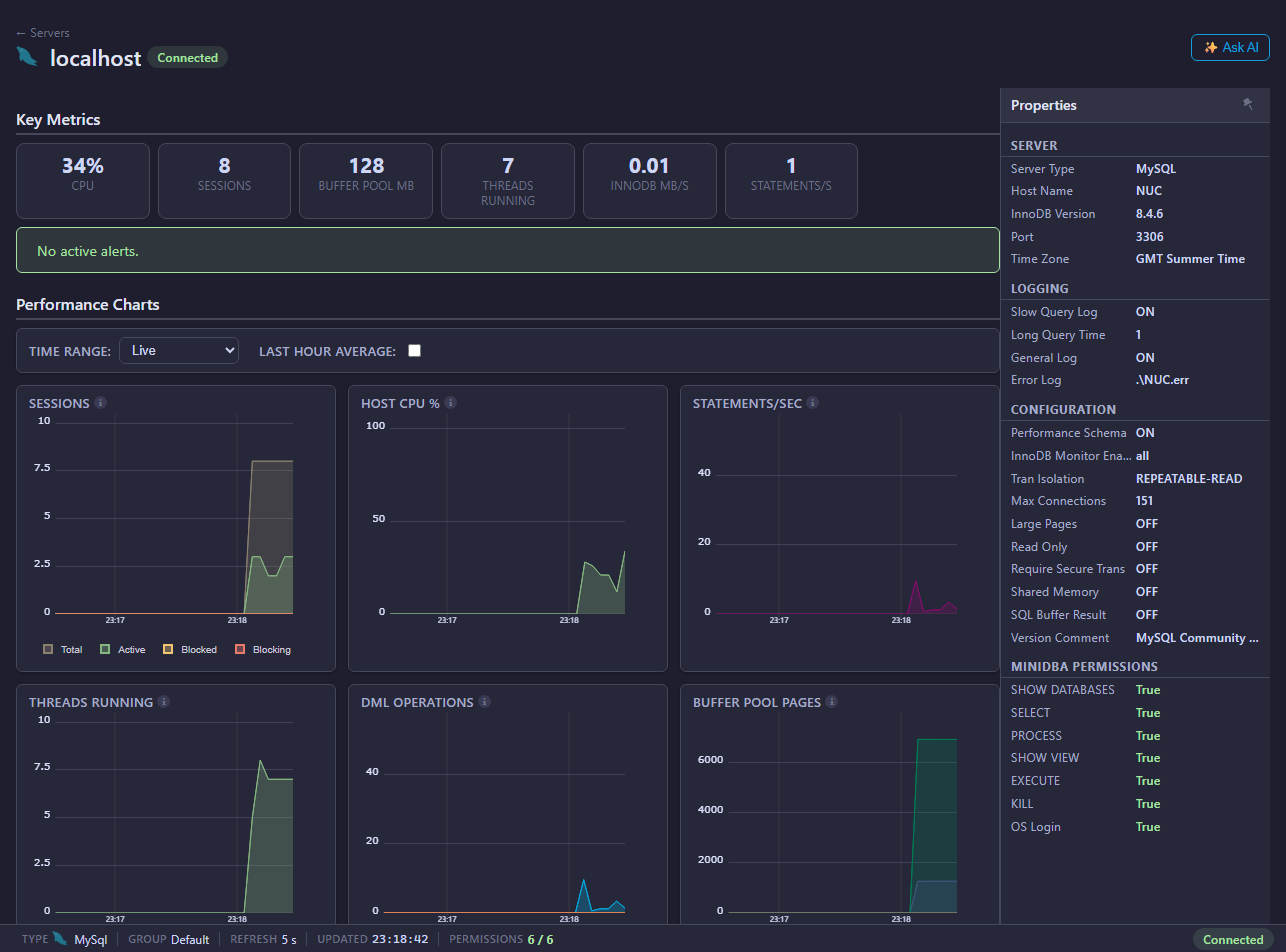
Mini DBA monitors MySQL and MariaDB servers with pages for activity, databases, queries, memory, I/O, InnoDB, permissions, deadlocks, health checks, alerts, and performance tuning.
MySQL And MariaDB Pages
- Connection and permissions
- Activity
- Databases
- Queries
- Execution Plans
- Memory
- I/O
- InnoDB
- Permissions
- Deadlocks
- Health Checks
- Performance Tune
- Alerts
What MySQL And MariaDB Monitoring Helps Answer
Mini DBA helps answer operational MySQL and MariaDB questions:
- Which sessions and queries are active now?
- Are long-running or blocked statements affecting users?
- Are InnoDB transactions, locks, or deadlocks contributing to slowness?
- Which queries appear expensive or repeated?
- Are memory, I/O, or storage-engine symptoms pointing to host pressure?
- Are permissions complete enough for database discovery and process visibility?
- Are health checks finding configuration or operational risks?
For MySQL and MariaDB, the database monitoring login must be able to see processes, databases, object metadata, and supported diagnostic routines. Optional host OS login improves visibility into CPU, memory, disk capacity, and disk I/O.
Common Investigation Flow
- Start with Activity for live sessions and current workload.
- Use Queries for expensive statements.
- Use MySQL And MariaDB Execution Plans to review diagrams, tree output, JSON, and operator rows.
- Use InnoDB for transactions, locks, and storage-engine behavior.
- Use I/O and Memory for resource pressure.
- Use Health Checks and Performance Tune for recommendations.
Live And Historical Overview Data
The MySQL and MariaDB overview charts include the Mini DBA Time Range selector. Use Live for current push updates, or switch to Last Hour, Last 12 Hours, Last Day, Last Week, or Custom to review collected history. Mini DBA loads and caches the selected historical dataset for the current console session and server context, so moving between overview charts, activity, deadlocks, and other historical views stays quick after the range has loaded. Use Back to Live to resume live updates, then select another historical range when you need a different point-in-time view.
Permissions And Cloud-Hosted Servers
Use MySQL and MariaDB connection and permissions to create a dedicated monitoring user. SHOW DATABASES, SELECT, PROCESS, SHOW VIEW, and EXECUTE on sys.* are important for useful monitoring. Cloud-hosted services such as AWS RDS may need special session kill routines instead of standard server-level privileges.
If direct operating system access is unavailable, configure Cloud Provider Settings where your provider exposes host metrics through an API.
MySQL And MariaDB Monitoring FAQ
Does Mini DBA require root?
No. Use a dedicated monitoring account with the grants in the connection guide.
Why is PROCESS needed?
PROCESS allows Mini DBA to see process list and session activity across the server. Without it, activity pages can be incomplete.
Does Mini DBA support MariaDB?
Yes. The console includes MySQL/MariaDB monitoring pages. Some privilege names and feature availability can differ by version, so use the permissions modal to verify current access.
When should I configure host OS login?
Configure host OS login when you need CPU, memory, drive, and disk I/O metrics from the database host, especially for self-managed Linux or Windows servers.
Related Pages
- Connect database servers
- MySQL and MariaDB connection and permissions
- MySQL and MariaDB execution plans
- Host OS login
- Alerts
- Reports