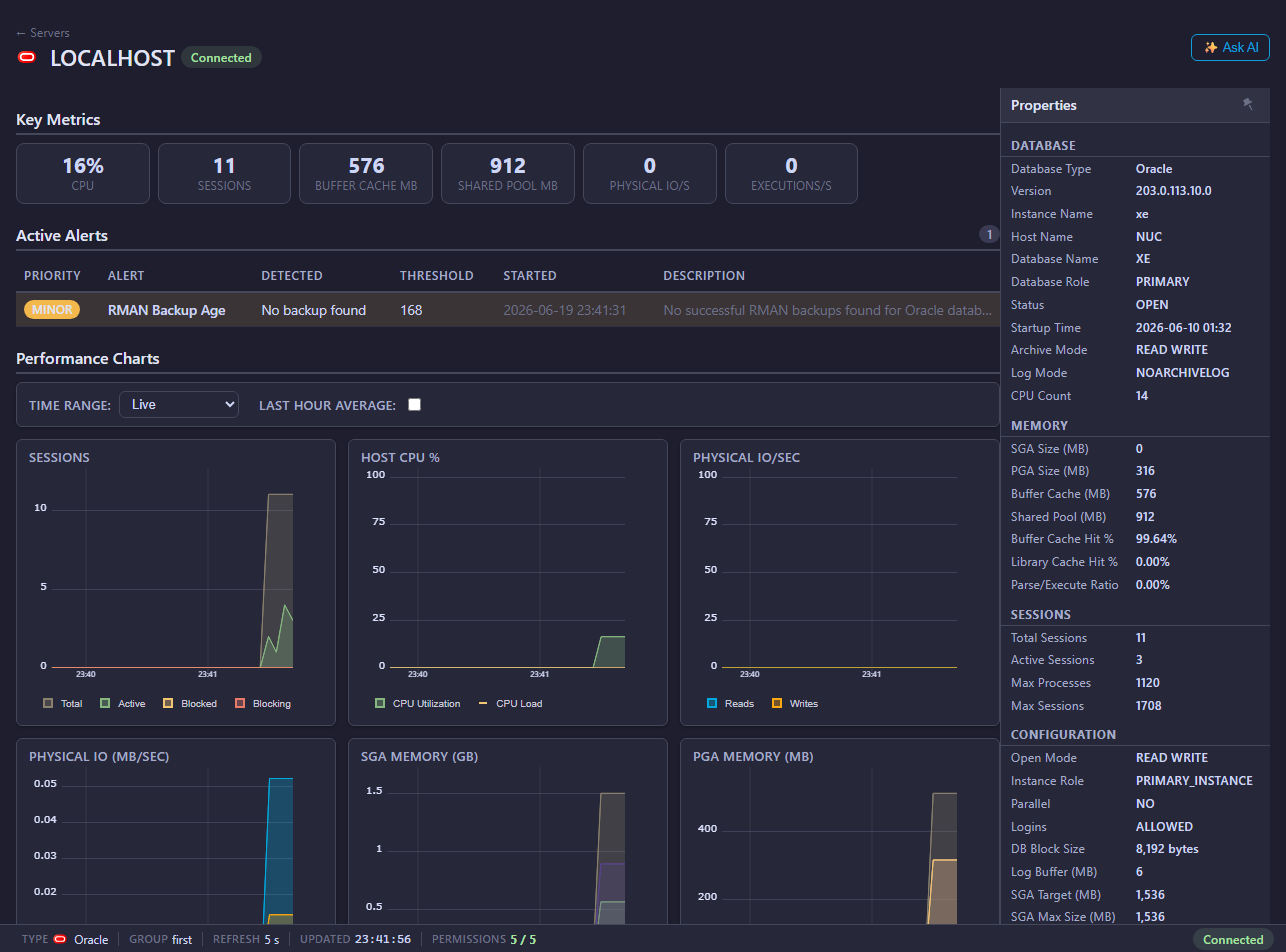
Mini DBA Oracle monitoring provides pages for activity, databases, queries, waits, memory, health checks, alerts, and performance tuning for monitored Oracle servers.
Oracle Pages
- Connection and permissions
- Activity
- Databases
- Queries
- Execution Plans
- Waits
- Memory
- Health Checks
- Performance Tune
- Alerts
Common Investigation Flow
- Start with Activity for live workload.
- Use Queries for expensive SQL.
- Use Oracle Execution Plans to review plan text, operator cost, rows, bytes, and predicates.
- Use Waits and Memory to identify bottlenecks.
- Use Health Checks and Performance Tune for recommendations.
Live And Historical Overview Data
The Oracle overview charts include the Mini DBA Time Range selector. Use Live for current push updates, or switch to Last Hour, Last 12 Hours, Last Day, Last Week, or Custom to review collected history. Mini DBA loads and caches the selected historical dataset for the current console session and server context, so moving between overview charts, activity, waits, and other historical views stays quick after the range has loaded. Use Back to Live to resume live updates, then select another historical range when you need a different point-in-time view.
What Oracle Monitoring Helps Answer
Oracle monitoring in Mini DBA helps teams answer:
- Which Oracle sessions are active and what are they waiting on?
- Which SQL statements are expensive or recurring?
- Are waits pointing to I/O, CPU, locking, concurrency, or memory symptoms?
- Is Oracle memory pressure contributing to poor response time?
- Are health checks finding configuration, capacity, or operational risks?
- In multitenant systems, can the monitoring user see the required containers and pluggable databases?
Oracle monitoring relies on database privileges for performance views and dictionary views. For Oracle 12c+ multitenant environments, a common user can simplify visibility across containers.
Permissions And Oracle Licensing Awareness
Use Oracle connection and permissions to create the monitoring user. The core privileges are CREATE SESSION and SELECT ANY DICTIONARY, adjusted to your organization's security policy. Avoid the DBA role for routine monitoring unless your policy explicitly permits it.
Some Oracle views and features can be associated with optional Oracle packs or license terms outside Mini DBA. Confirm your Oracle licensing position for AWR, ASH, Diagnostics Pack, or Tuning Pack related workflows before enabling or relying on those features.
Oracle Monitoring FAQ
Is DBA required for Mini DBA Oracle monitoring?
No. DBA is powerful and should generally be avoided for routine monitoring. The connection guide shows narrower privileges.
Should I create a common user?
For Oracle 12c+ multitenant systems, a common C## monitoring user is recommended when Mini DBA needs CDB and PDB visibility from one connection.
Does host OS login matter for Oracle?
Yes when you need host CPU and drive metrics alongside Oracle activity, waits, memory, and query data. Use Host OS Login where direct OS access is available.
Can Mini DBA help tune Oracle SQL?
Mini DBA provides activity, query, wait, memory, health, and performance tuning pages. Use them to identify candidate SQL and resource symptoms before applying changes through your Oracle change process.
Related Pages
- Connect database servers
- Oracle connection and permissions
- Oracle execution plans
- Host OS login
- Alerts
- Reports